Parashoot – The safe(ish) card eraser app

I’ve known about this app for a while and just started using this after I heard about an instance where a loader thought they had a card backed up, erased it in disk utility, and then realized it wasn’t actually backed up. To their credit though, it was a few days old from post and the card slipped through the cracks with downloading (although there should be measures for making sure all footage gets downloaded at the end of the day, but still).
So this prompted me to explore this app and see how it integrates into my on-set workflow…and now I will never use anything else to format cards.
As I’ve stated in the past, the reason why you as the DIT want to format cards and then hand them over to ACs is it states to ACs that the footage has been downloaded and it takes the uncertainty of having them format cards, which could have footage on them (I’ve seen it happen first hand!) and then accidentally formatting mags.
The app is Parashoot, and it’s awesome!

Here’s how it works:
You pop a mag into your card reader and in the system tray is the app, so you don’t actually have to have the app open to use it, it just stays in the system tray (which I really like). It’s the highlighted icon here:

If this is the first time you’ve run it, or if I presume your backup drive isn’t connected (or it’s a new one maybe? I don’t see an option to change this, maybe something in a future update? See below for updated information on this) you’ll get this prompt:

It will prompt you for a destination, and then you select that and you’re good. For me it’s a RAID that I have set up for this TV show I’m on now.
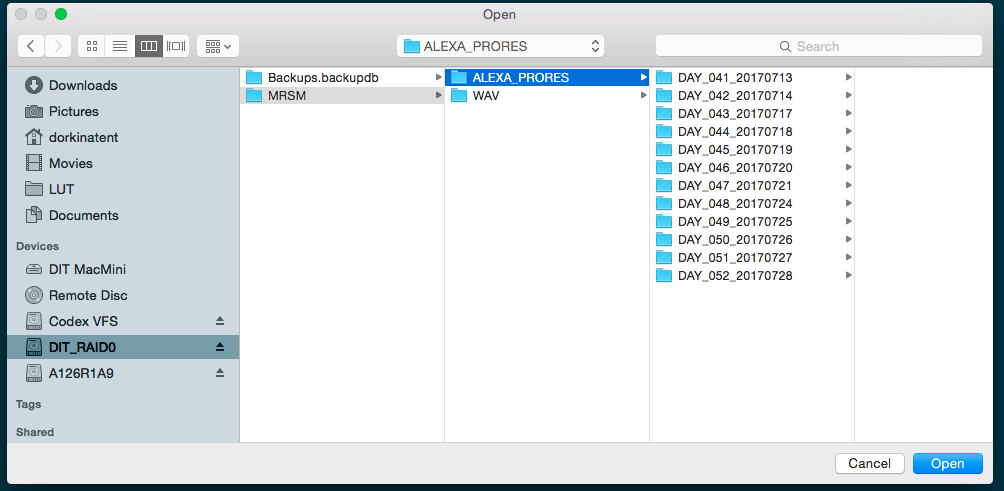
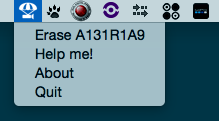
Then from the drop down menu from the task bar, you select the “Erase XXX” option.
Then it will give you this prompt (BTW this is a different card because I didn’t take a screenshot of the erase prompt when originally clearing media):
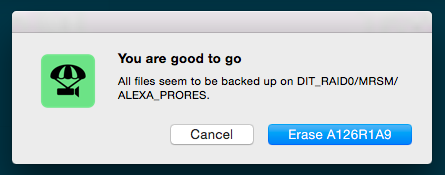
To which the system tray will update with this:

and then finally giving you this prompt:

The cool thing here is IF you accidentally format a mag, you can restore it. Just put the affected mag back in the reader, it will pop up as unreadable (just hit ignore).

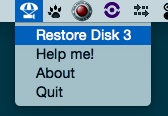
From the dropdown menu hit Restore Disk 3, and voila, your mag is back in working order.
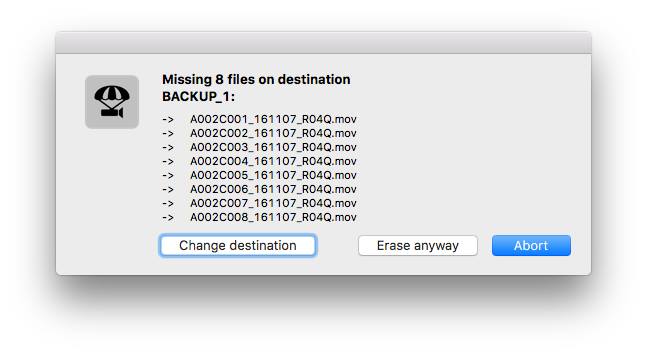
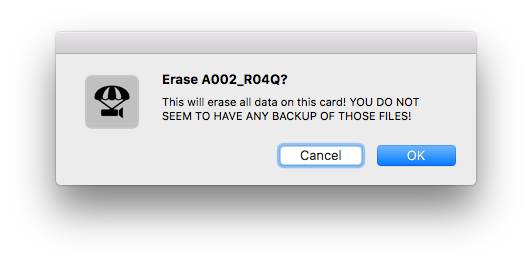
If you don’t have it backed up, here’s the error you get (taken from the developer’s screenshots, I didn’t want to chance this at all on my show):
The developer says this is what is going on behind the scenes:
It creates a statusbar menu with “Erase [YOUR_CARD]” items. These will run “diskutil partitionDisk diskX MBR FAT32 EMPTY 100%” after ParaShoot has found at least one copy of all your files.
It does only check for filename and file size. No checksums are verified!
This app also integrates with Growl, which I like for notifications.
So there you go. Stop using DiskUtil for formatting mags.
BTW this will work for Red cameras too, but just make sure you check that the mags don’t revert back to fat32 if you have it set as UDF with the new red firmware.
UPDATE:
Got an email from Ben Hagen, the developer of ParaShoot, and he asked me to add this to the post (I’ll update where it is in the post so this will be redundant):
Changing the backup destination is possible whenever ParaShoot does not find the content of your cards. So if you are on a new project just try to erase as usual and you will get the missing files dialog which will allow you to change the destination. If you ever need to reset it by hand you can run this command from the terminal:
rm ~/Library/Application Support/ParaShoot/backup_path
(Yes this should eventually be added to the tool itself.)
Old versions of ParaShoot indeed used the “diskutil partitionDisk” command described at the end of your post. Newer versions erase the card by flipping every bit of the first 2MB (2 * 1024 * 1024 bytes) of the card. Every 0 becomes a 1 and every 1 a 0. This destroys all filesystem information in a controlled way and can be easily reversed.
Unfortunately RED cameras will revert back to FAT32 if you format the card on your computer. You can try this when you format them as HFS+ with DiskUtility. Please report this to RED in this way. Other wise they will just blame ParaShoot instead of fixing their bug 😉